
Die Cutting & Laser Cutting Guide
Learn how die cutting and laser cutting create custom business card shapes, rounded corners, special outlines, internal cut-outs, and fine decorative details. This guide helps you choose the right cutting method before requesting a quote.
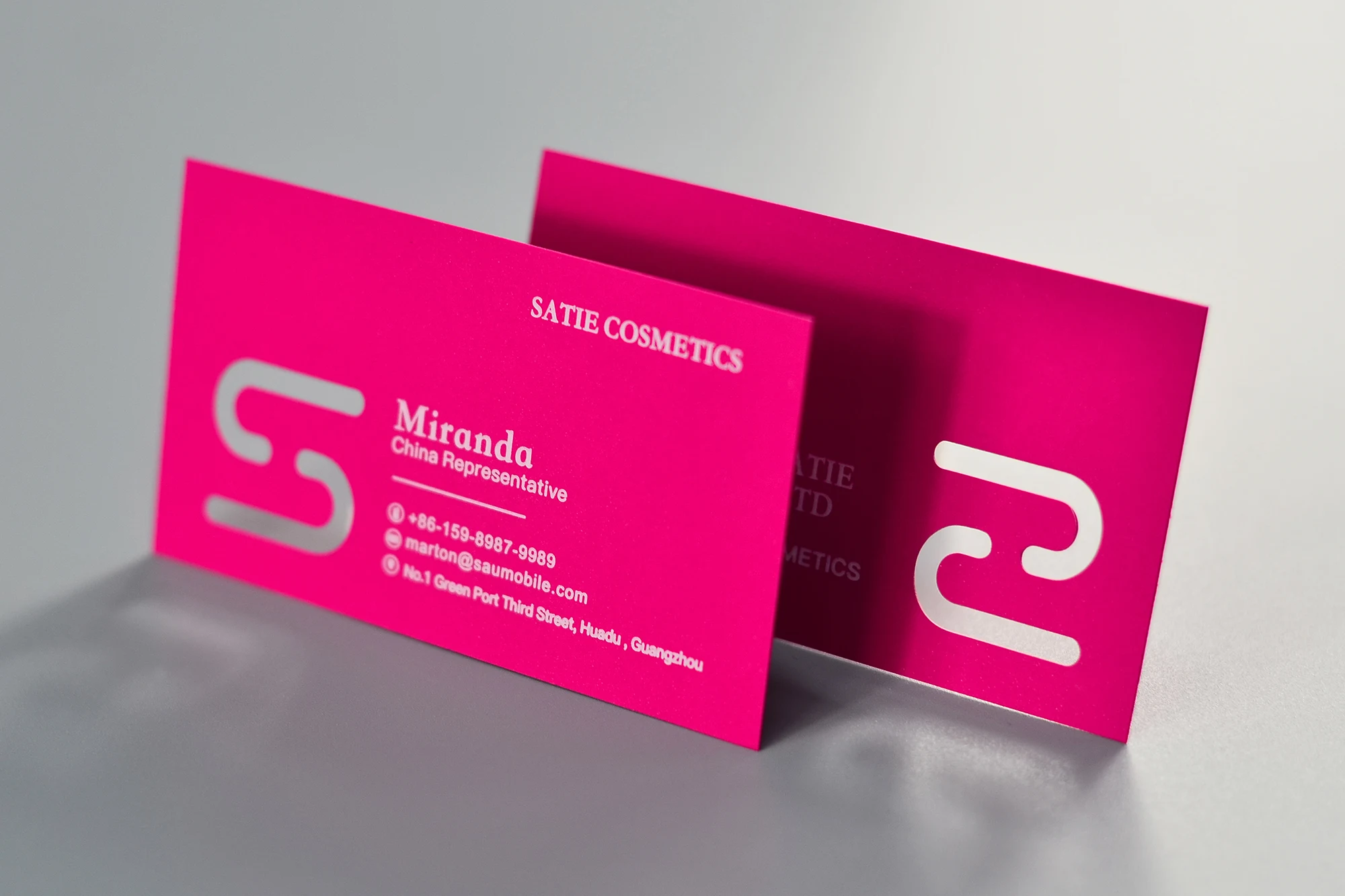
Laser cutting is useful for internal cut-outs, fine decorative openings, and intricate card details that standard die cutting may not handle cleanly.
Die cutting shapes the outline. Laser cutting handles fine detail.
Both methods physically cut the card, but they are used for different design goals. Die cutting is usually better for repeated outer shapes and larger cuts. Laser cutting is better for internal cut-outs and complex fine detail.
Custom shape and round corners
Die cutting uses a cutting die to trim cards into a specific shape. It is suitable for round corners, custom outlines, arched edges, tags, and repeated production shapes.
Internal cut-outs and fine details
Laser cutting uses a focused beam to cut detailed openings, decorative windows, geometric details, or intricate patterns inside the card body.
Common die cut and laser cut business card effects
Cutting effects should support the card design, not weaken it. Large outline shapes work well for die cutting, while detailed internal designs are usually better suited for laser cutting.
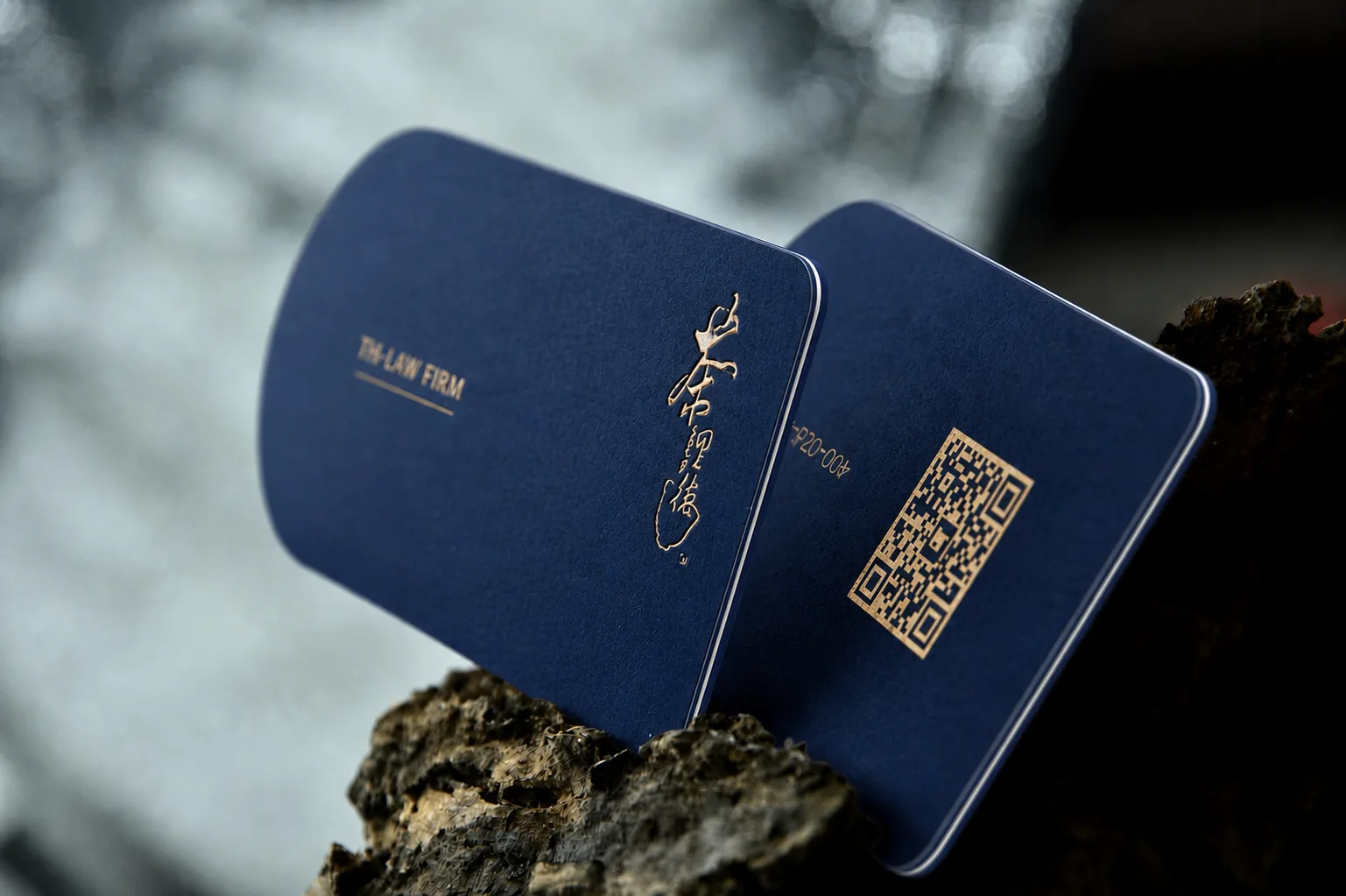
Custom Die Cut Shape
Die cutting can create a special outer shape while supporting foil or metallic ink details.
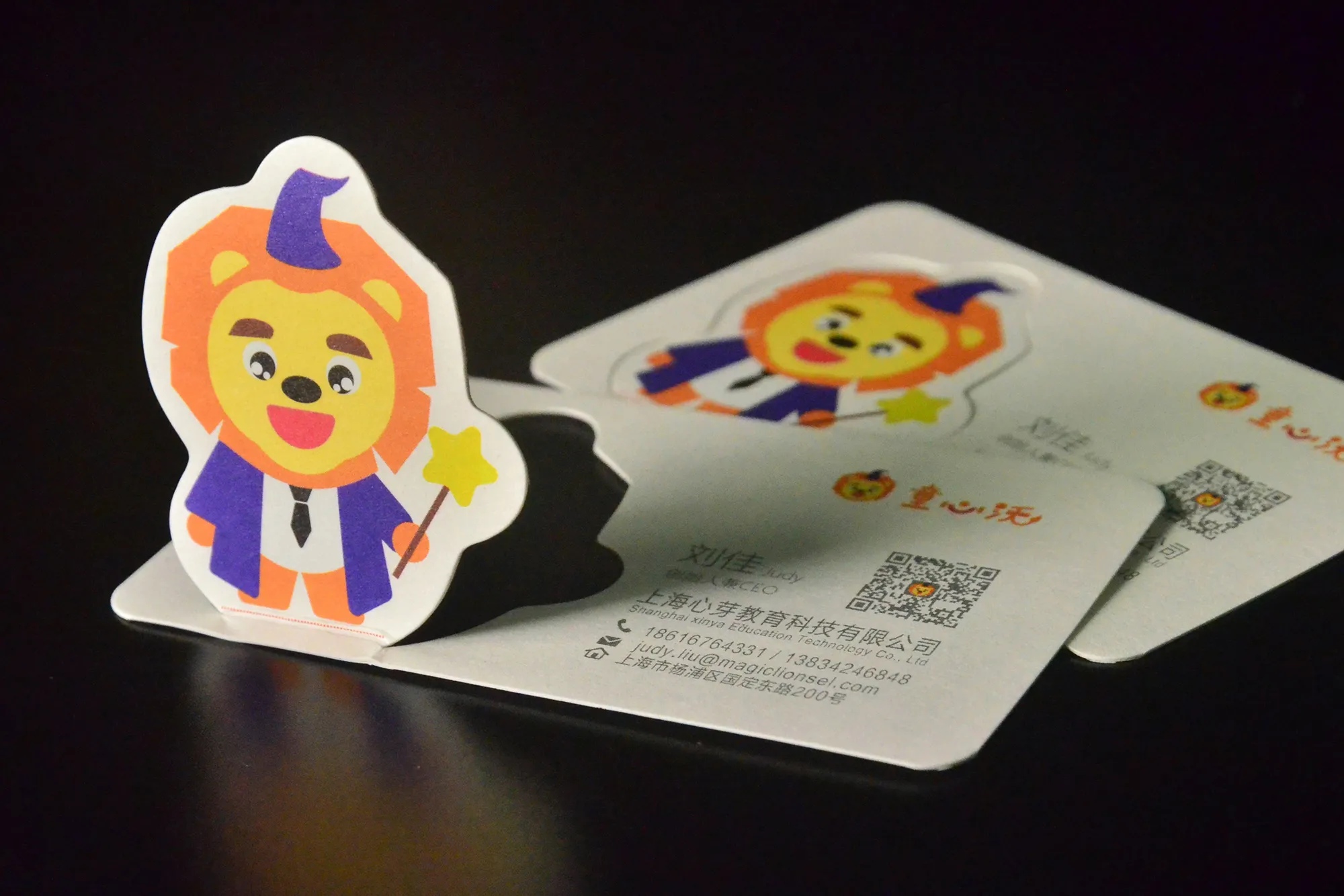
Geometric Shape
Clean geometric edges can make the card feel more distinctive without weakening the structure.
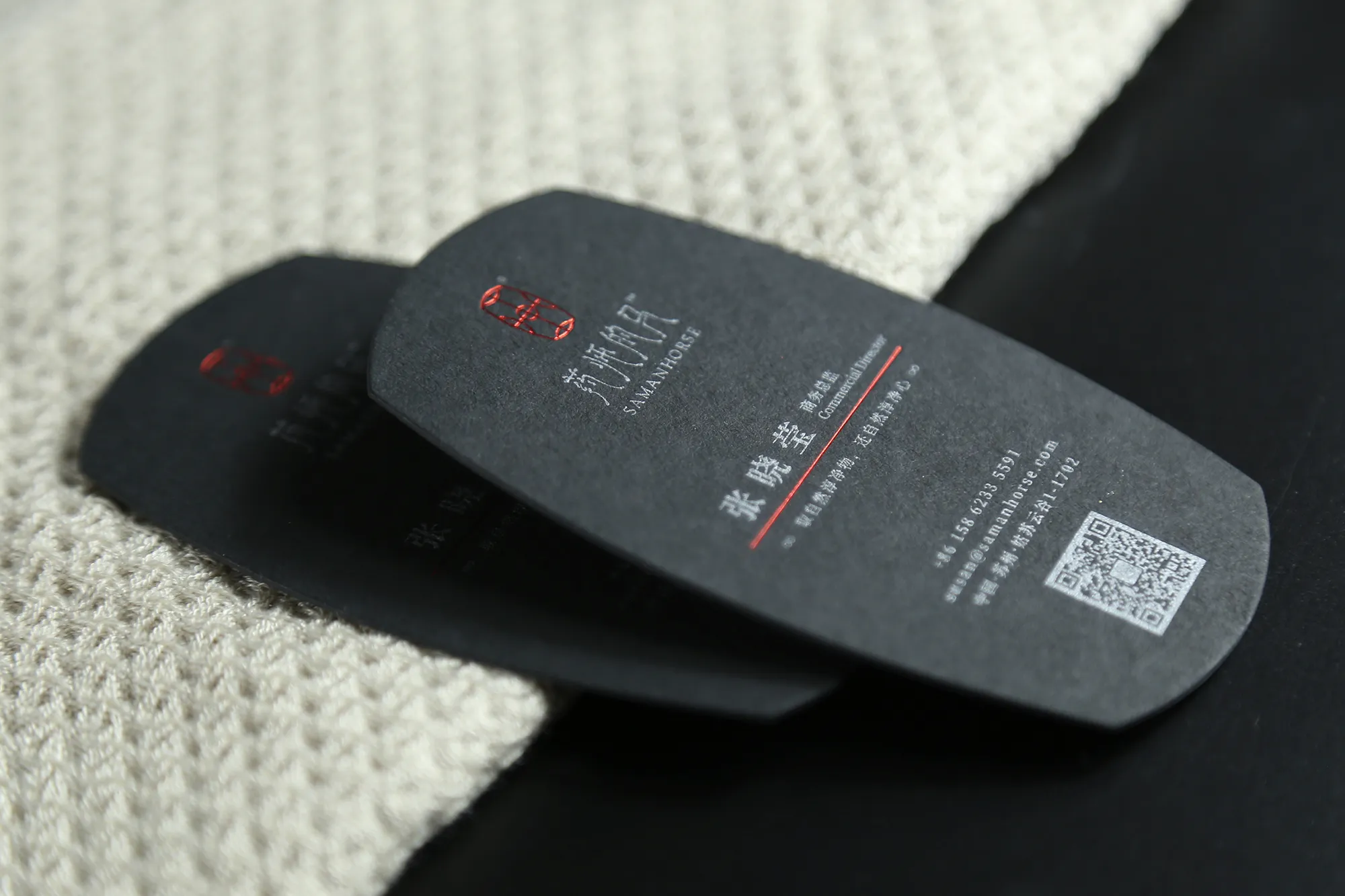
Sculpted Identity Card
Custom outlines can support brand identity when the shape is stable and repeatable.
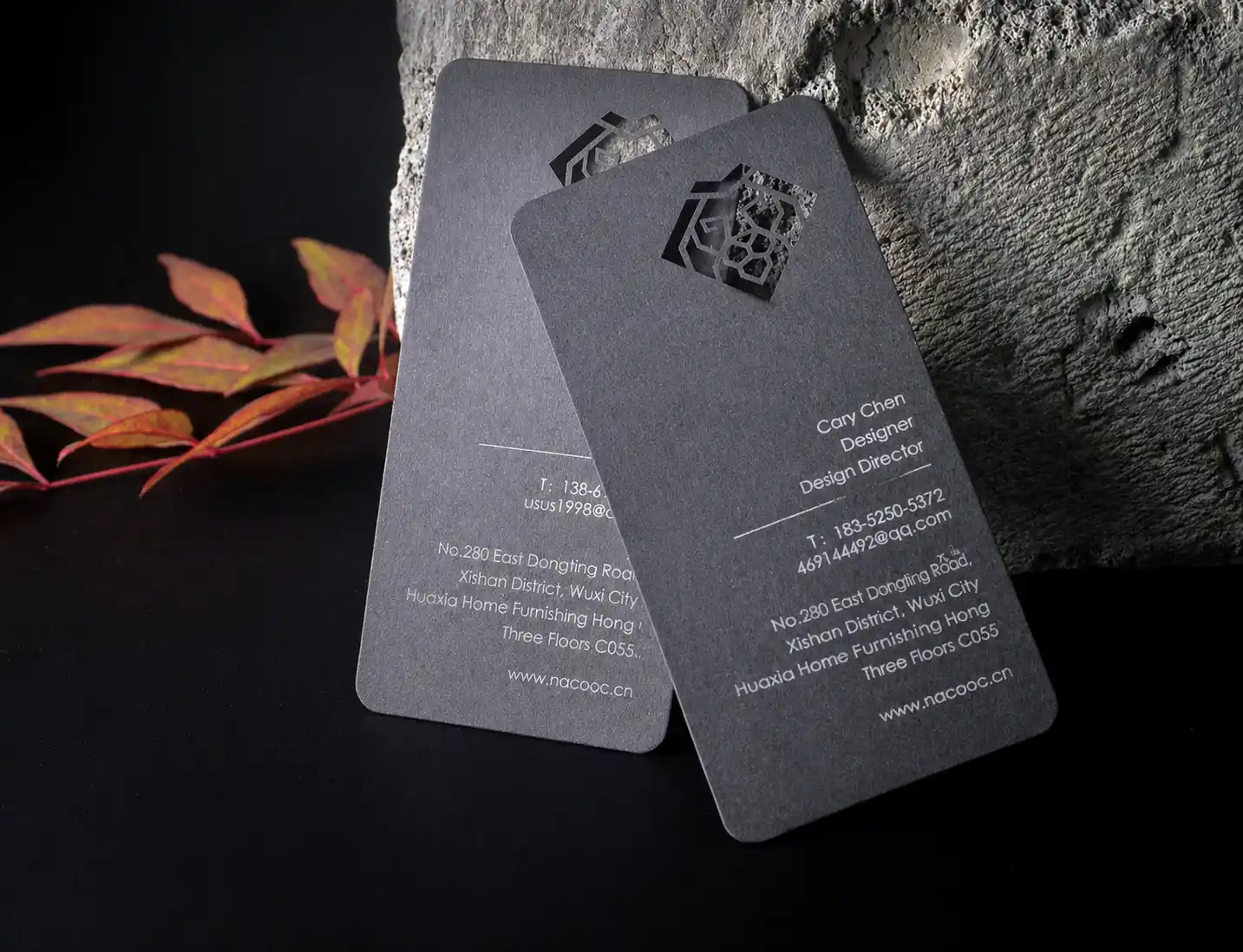
Laser Cut-Out
Internal openings create stronger visual contrast on dark or thick card stocks.
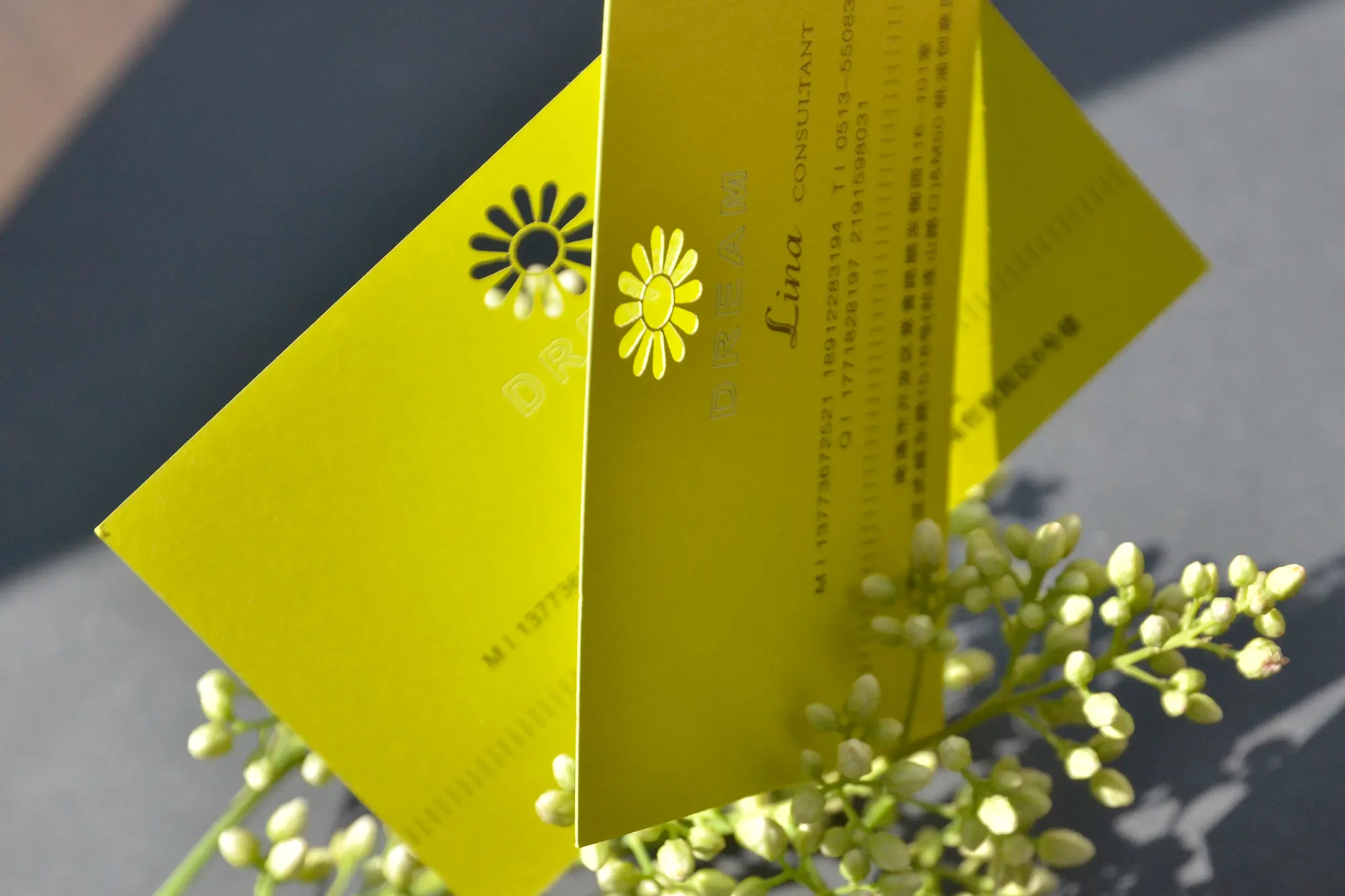
Fine Internal Cut
Laser cutting can handle internal decorative detail when the bridges remain strong enough.
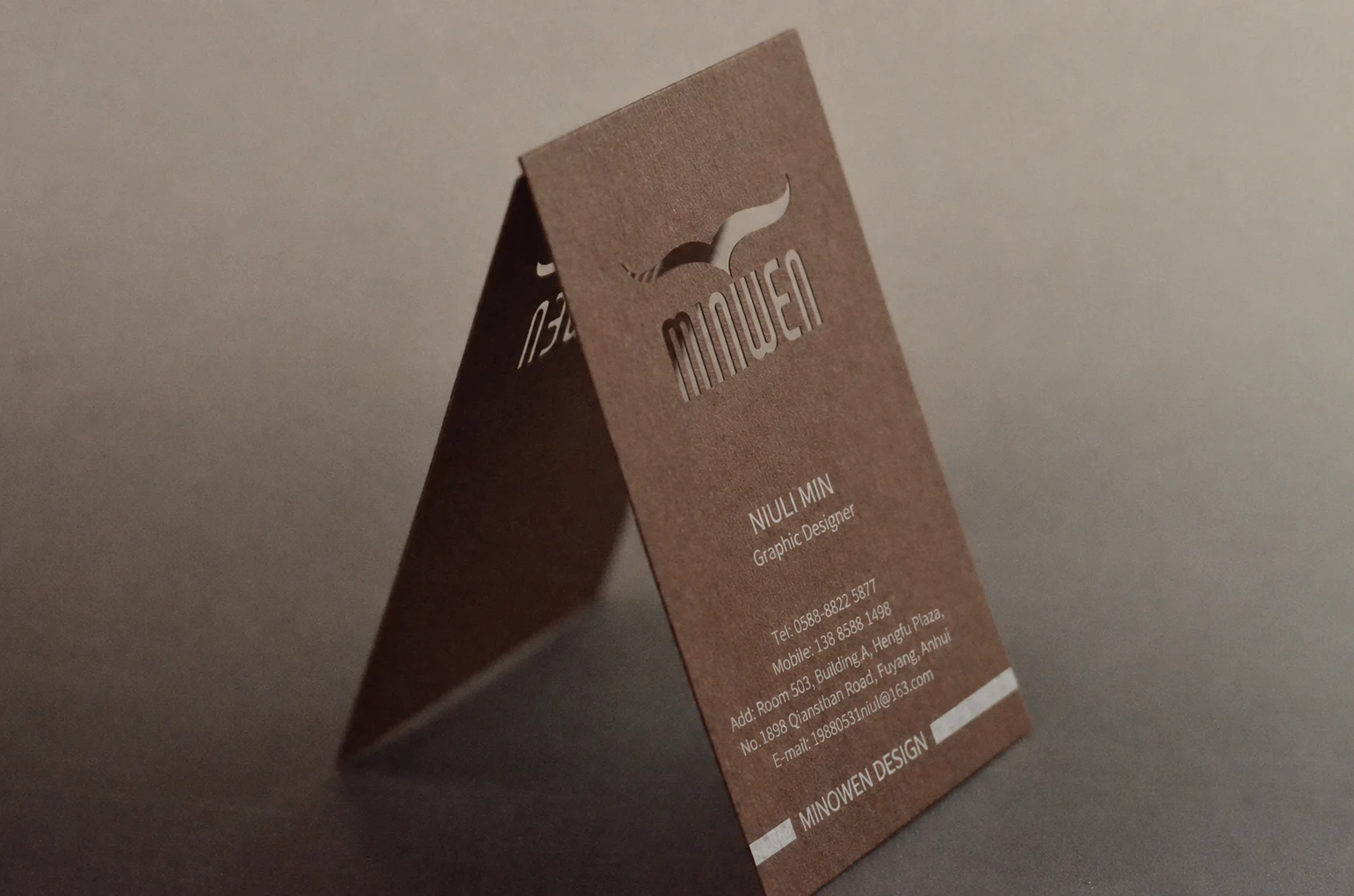
Pattern Cut-Out
Detailed patterns require enough material around openings to prevent breaking.
Die cutting vs. laser cutting comparison
Use this comparison to decide whether your design should be cut with a physical die or a laser process.
| Feature | Die Cutting | Laser Cutting |
|---|---|---|
| Main use | Outer shapes, round corners, custom silhouettes, repeated cut forms. | Internal cut-outs, fine patterns, logo windows, detailed geometric openings. |
| Best detail level | Medium to large shape details. | Fine detail and more complex cut structures. |
| Production logic | Uses a cutting die, suitable for repeated shapes. | Uses laser cutting path, suitable for complex detail. |
| Design risk | Very small corners or fragile shapes may not cut cleanly. | Thin bridges, unsupported islands, and tiny openings may break or burn. |
| Best card types | Standard cards, thick cards, rounded corner cards, special outline cards. | Thick premium cards, simple color layouts, cards designed specifically for cut-out details. |
How to design for clean cutting results
Cutting changes the physical structure of the card. The design must be strong enough to survive trimming, handling, shipping, and daily use.
Better for cutting
Use clear shapes and stable structure. The more physical material left around the cuts, the more durable the card will be.
Use caution
Extremely thin bridges, sharp narrow cuts, tiny floating pieces, or cut-out text may not be suitable for production.
File setup for die cutting and laser cutting
Cutting artwork should be prepared as a separate vector layer. This layer tells production exactly where the card should be trimmed, shaped, or cut through.
Use clean vector paths
Provide cutting lines as vector paths. Avoid raster images or screenshots for shape and cut-out artwork.
Keep cut lines separate
Use a separate layer named Die Cut, Cut Line, Laser Cut, or similar. Do not merge cutting lines into the printed artwork.
Protect important details
Keep text, logos, foil, UV, and important artwork away from cut lines unless the design has been reviewed.
Combine custom cutting with the right card structure
Die cutting and laser cutting can be combined with foil, debossing, UV, soft touch, or thick card structures. The final design should be reviewed as a complete production system.
Common questions about die cutting and laser cutting
What is the difference between die cutting and laser cutting?
Can I make a custom shape business card?
Can small text be laser cut?
Do I need a separate cut line file?
Can cutting be combined with foil, UV, or debossing?
Which is better for round corners?
Need help checking a custom cut card design?
Send your artwork, quantity, card size, paper direction, and cutting requirements. We can review whether die cutting or laser cutting is more suitable before quoting.