
You want a business card. Something a bit more high-end. The printer asks, “What do you have in mind?”
You think for a while and say, “Just… something a bit more high-end, I guess.”
Then they ask, “What paper? What color? Any foil stamping?” And suddenly you're stuck.
That's not your fault. It's not that you don't know what you like. You haven't seen these materials and finishes in person, so you just can't put it into words.
So here's my approach: don't rush off to learn a bunch of printing terms. Get an image first. Point to it and say, “This is the feel I'm after, but I don't like this bit.” We'll get it straight away.
You can make that image with ChatGPT. The free version is fine—there's no need to buy a subscription first. OpenAI's official guide says free users can search the web, upload images and generate images, but these tools have usage limits. How much you can use depends on the notices in your account. So here's the rule: make those image generations count. Talk through whatever you can in text first, then generate the image once things are clear.
We use ChatGPT because it lets customers discuss a reference image, explain what they like and refine the direction before generating a concept. That is the workflow shown here: use text to settle the details first, then use the image as a starting point for a conversation with us.
This article shows you how to use free ChatGPT for business card design (the same goes for labels). You don't need to know how to code or memorize complicated prompts. Start by explaining what you want. You don't need to spend time learning a whole bunch of technical terms.
Scenario 1: Found a Business Card You Love? How Do You Design Yours with ChatGPT?
Maybe you spotted it on Pinterest, saw a card from someone in your industry, or got one from a friend. Either way, you took one look and thought, “This looks awesome. I want one like it.”
Take a photo or save the image. Then—and this is important—don't rush to generate anything. Upload it to ChatGPT first and ask what it can identify. Ask about these things. You can copy this prompt:
This is a business card I really like, but I don't know anything about this stuff. Please take a look: what finishes does it use, such as foil stamping, embossing or debossing, or spot gloss? What style of font does it use? How is the layout arranged? What does the paper texture look like? If you can't tell for sure, just say you're not sure. Don't guess.
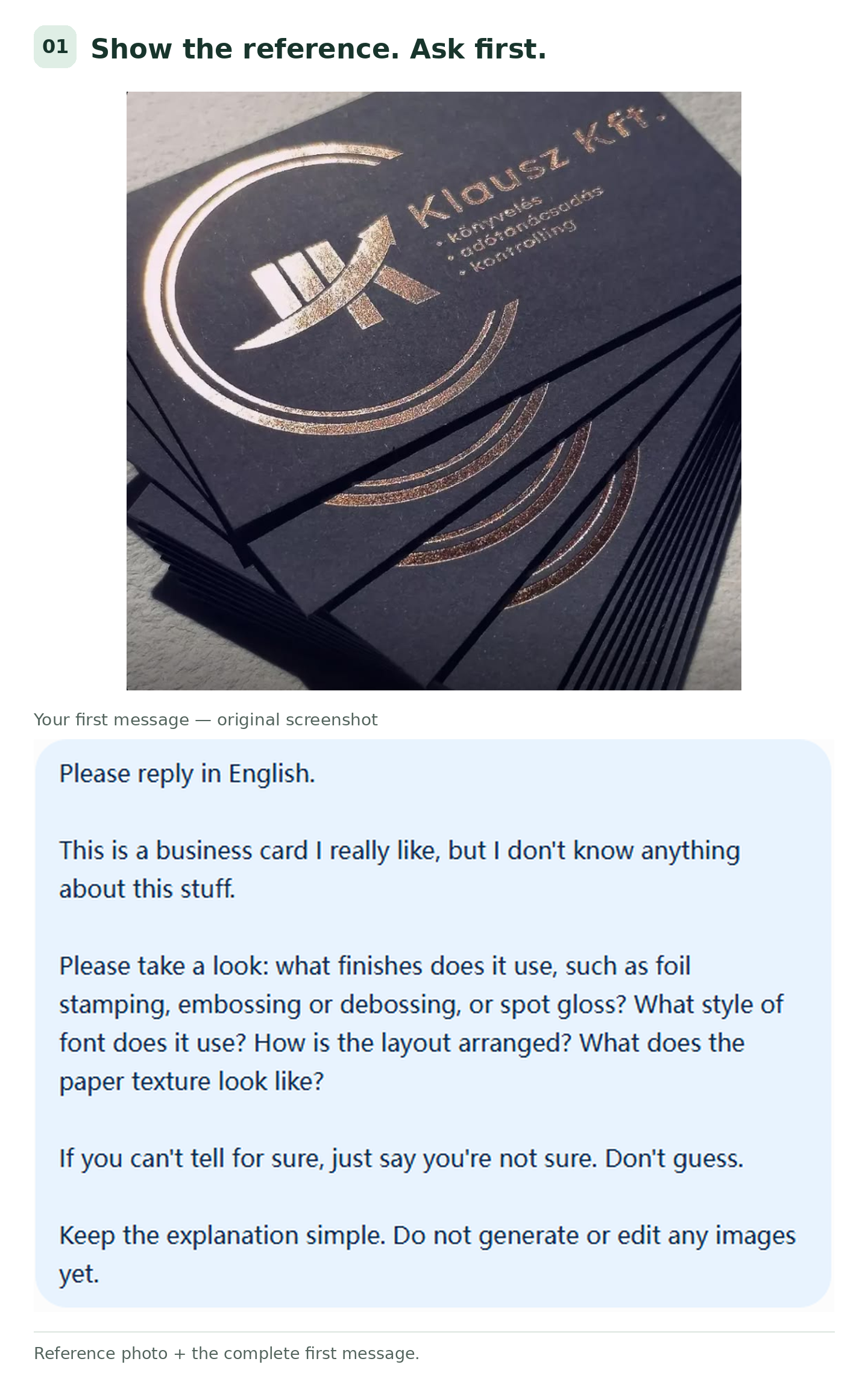
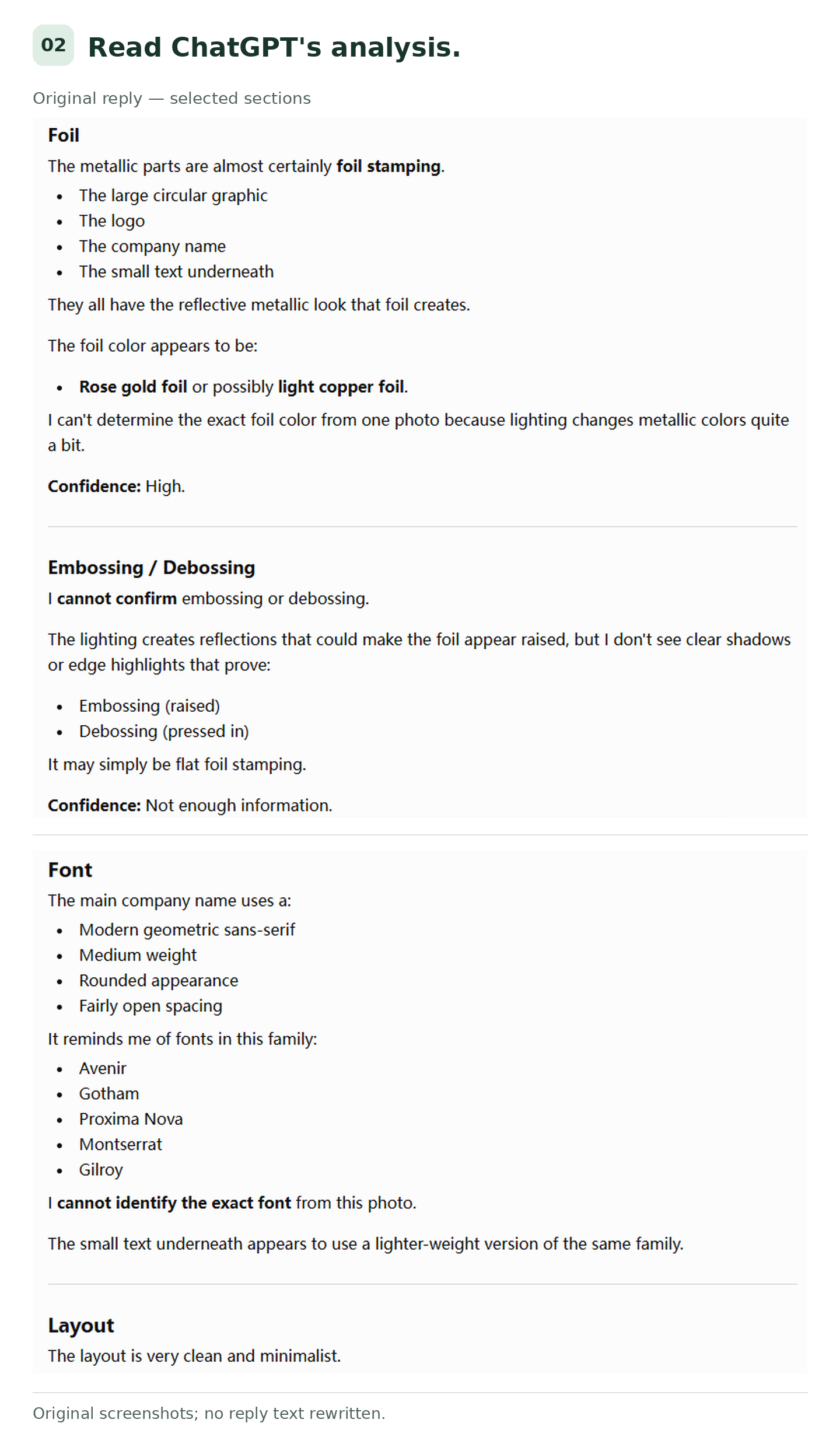
This step is just a chat—you're not generating an image, so you can ask a few more questions. After these questions, it'll have a general idea of what's going on with that card.
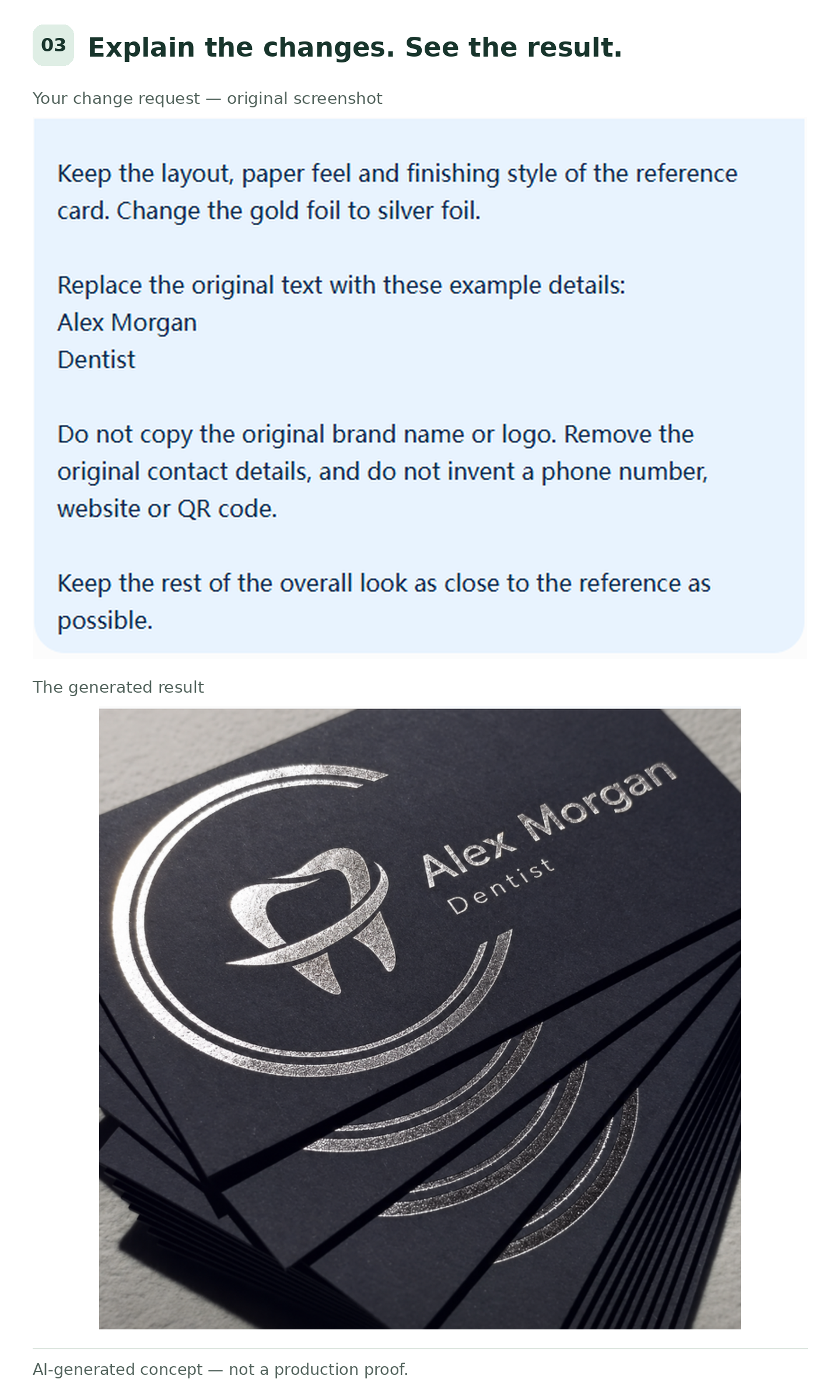
Then make it your own. Say the reference uses gold foil, but you'd prefer silver. Or it has someone else's name on it, and you want to use yours. You can say:
Keep the layout, paper feel and finishing style of the reference card. Change the gold foil to silver foil, and replace the text with my own name and title. Do not copy the original brand name or logo.
That means keeping roughly the same layout, paper feel and finishes as the reference, while changing the foil color and text. Don't copy the original brand.
One thing to remember: free image generations are limited, so don't count on making tiny changes one at a time. Talk through everything you want to change first, then generate an image. One that shows the general direction is enough. If the color, paper feel and finishes are more or less right, send it to us. We can talk through the details later.
While we're on the subject, gold foil, silver foil and other metallic finishes all give different results. To see the differences, take a look at the different foil stamping effects for business cards. And if you like black business cards, keep this in mind: there are two ways to get that black—paper that's already black, or a layer of black ink printed on white paper. They look and feel different. We've written separately about black paper vs. printing black on white paper. You don't need to get your head around all of that right now. Just show us the feel you're after, and we can work out which option to use later.
Scenario 2: No Ideas Yet? How to Write ChatGPT Business Card Design Prompts
This situation is actually more common. You want something “high-end,” but your idea of high-end and ChatGPT's are definitely not the same. And you can't quite explain what your own version looks like.
So if you simply say, “Generate a high-end business card for me,” it's mostly going to be guessing.
Here's what we've learned: let it ask you the questions. Make it your student, not the other way around. Let it draw out the ideas you can't put into words.
Don't rush to generate an image. Tell it about yourself: what you do, your address, your main business and your website. Then tell it the feel you're after. Before it gets started, ask it to ask you as many questions as possible. This really can get your ideas flowing all at once. Trust me—give it a try.
For example, say you're a dentist who wants a business card that isn't run-of-the-mill and leaves a lasting impression, but you have no ideas yet. Your prompt could look like this:
I'm a dentist, and I want to make a business card. I don't know what styles are popular in this industry right now, but I want a style that leaves a lasting impression and has been proven in the market.
I don't want you to generate a business card based on your own ideas. I want you to search the web for plenty of information, look into what I'm asking about, and include your sources. You don't need to give me a detailed report—just explain the main points.
Here are my details: XXXXXX.
Once you've finished searching and know my basic details, please ask me as many questions as possible. The more, the better. If I don't know an answer, I'll say, “I don't know.”
You get plenty of free text chats with ChatGPT, so make use of them. Let it draw your ideas out of you. Don't rush straight into generating images.
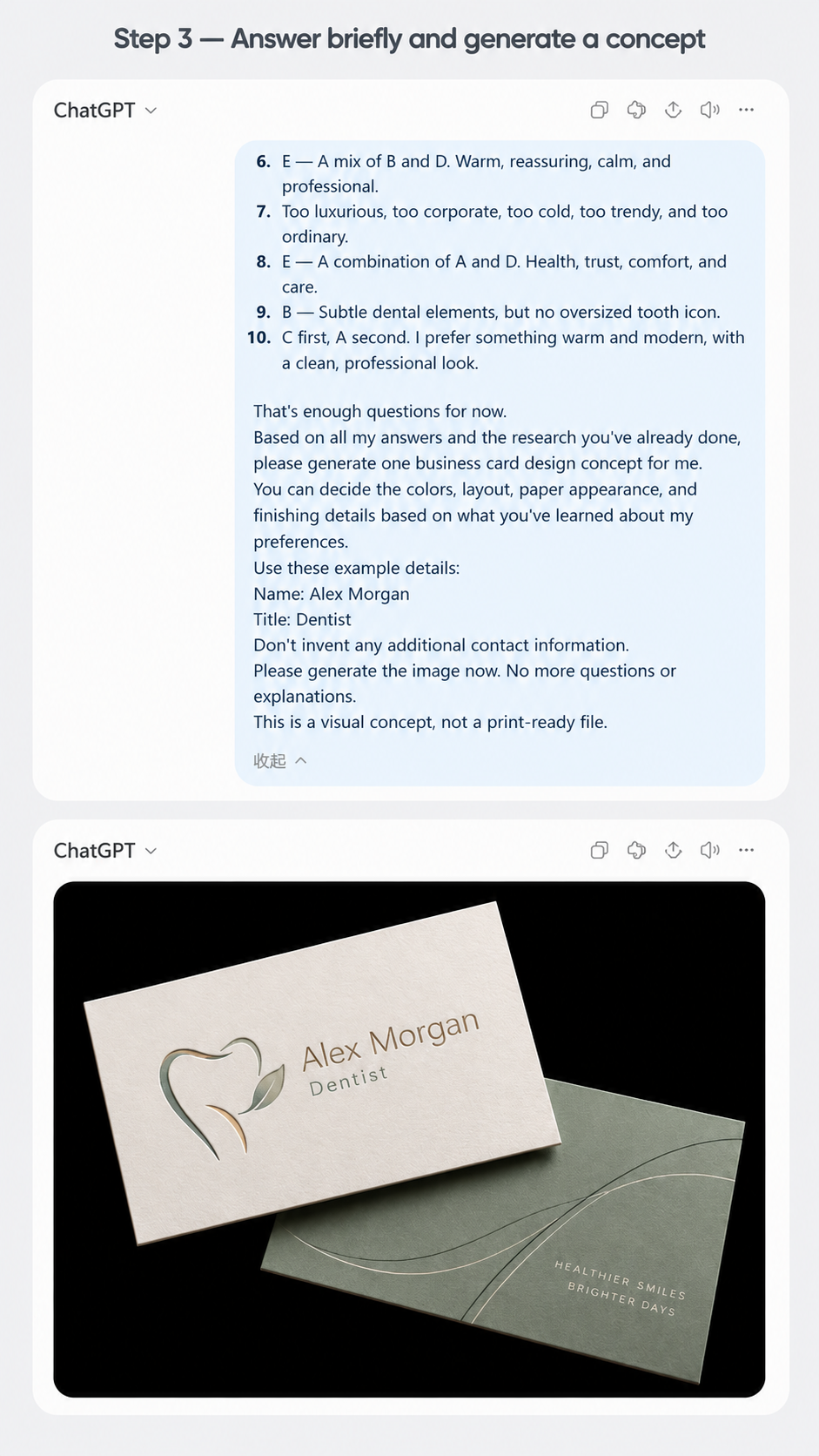
We're keeping this example short so the article doesn't get too long. It's just a quick demo—we haven't gone through every step in detail. When you're doing this for your own card, let ChatGPT ask more questions and get into the details. Talk about what you like, what you don't, and anything you're still unsure about. The clearer those details are, the more likely the image is to match what you have in mind. You don't need to stop at the number of questions shown here.
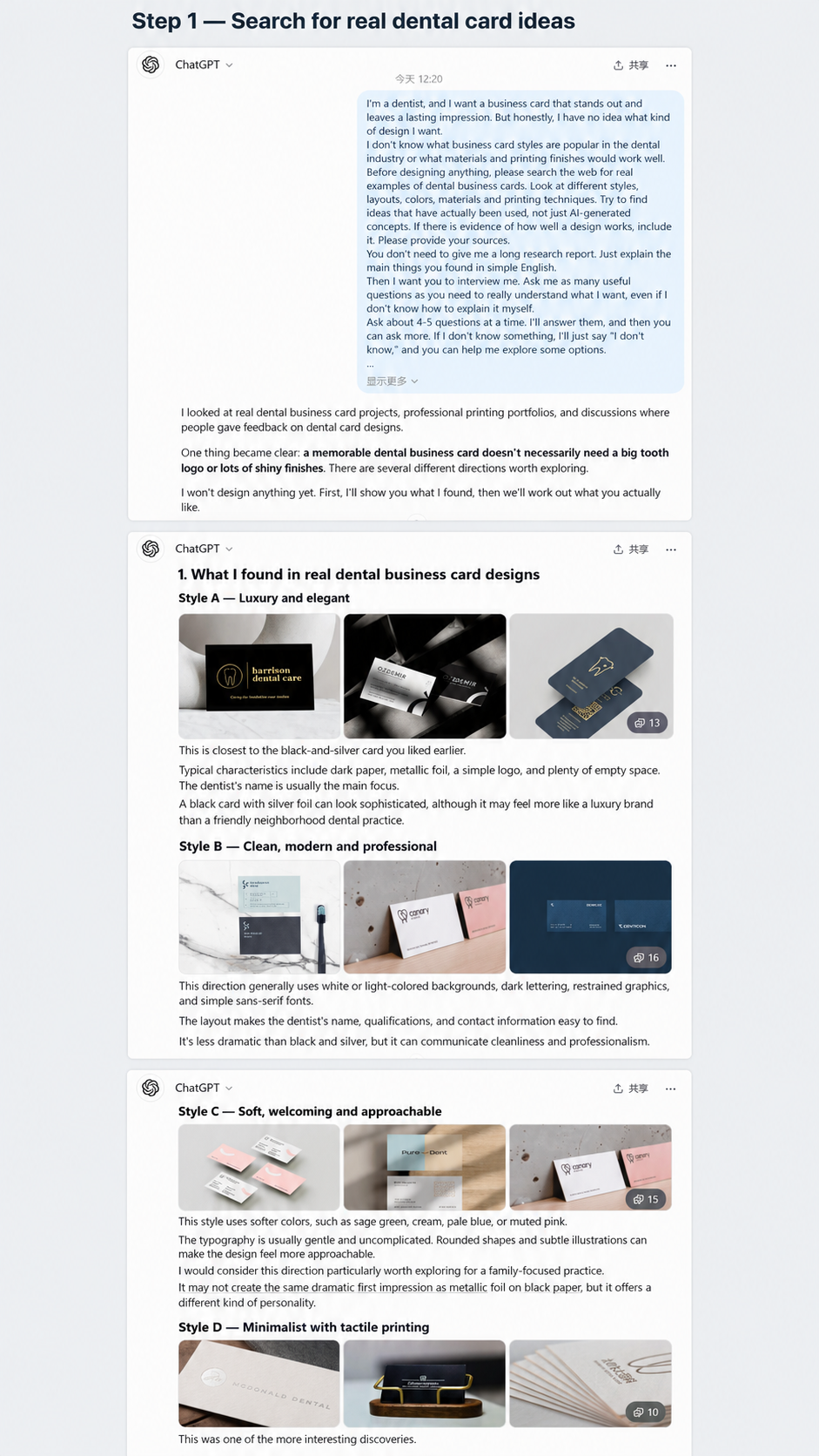
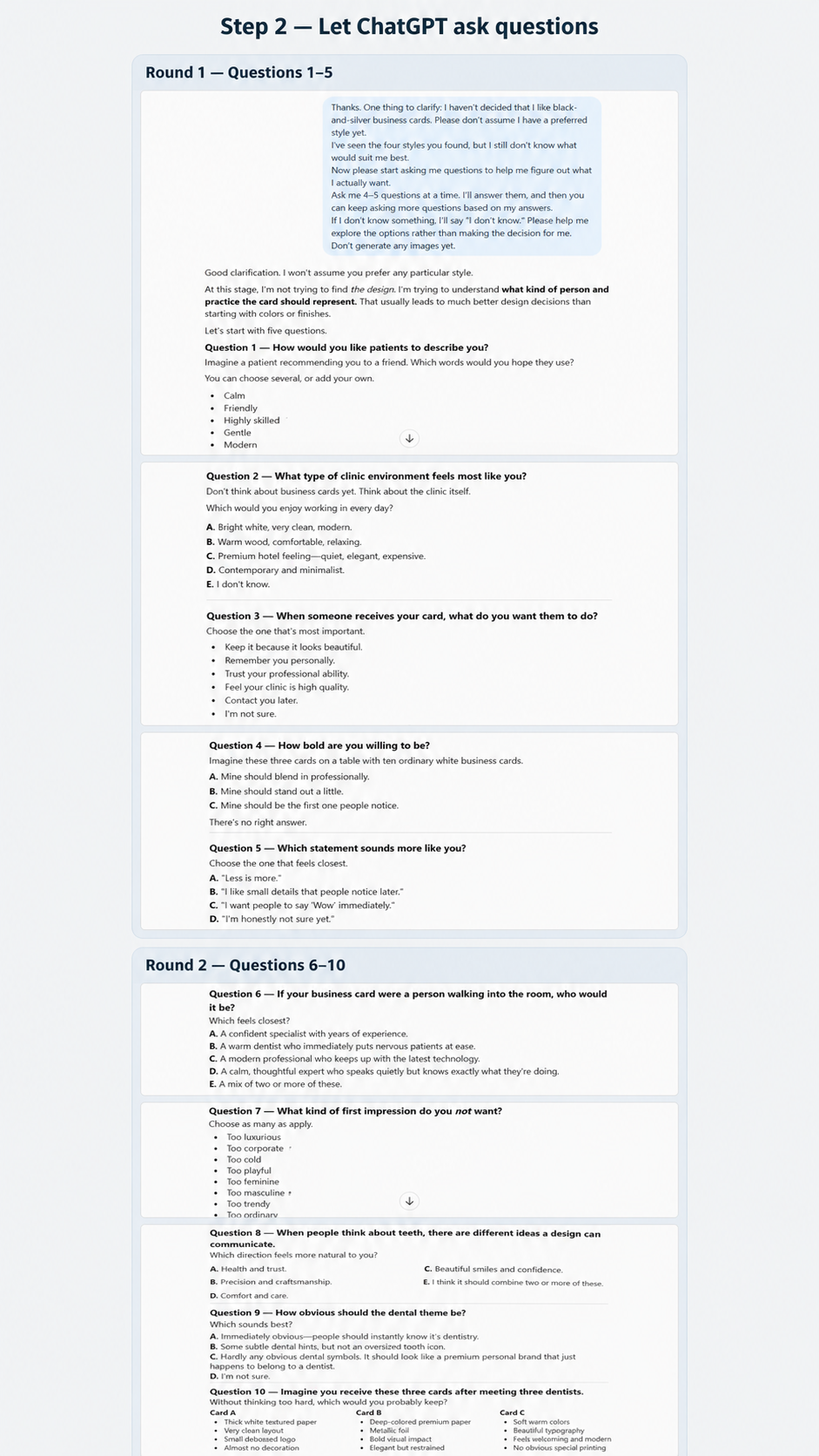
Once you've more or less settled on a direction, ask it to generate the image. In our experience, clarifying the requirements first means you need far fewer rounds of changes. It already knows what you want, rather than having to guess.
How Far Do You Need to Tweak the Image Before Sending It to Us?
It doesn't need to be perfect. AI-generated images won't be completely free of flaws. The text might be a bit wonky, and some details might be off. That's okay. Close enough is fine. Free generations are limited, so there's no need to keep generating the image over and over just to get every last detail right. A rough direction is enough. We can work out the remaining details with you.
Just check a few things: the colors you like, the general paper feel, the rough layout, and where you want the finishes to go. If those things come across in the image, you can send it to us.
Then briefly tell us what you like and what you want to change. For example:
I want this black-paper-and-gold look, but I'd like the logo a bit smaller. I don't need this much text—just my name and email. Could you help me choose the paper?
That gives us a much clearer idea. If you know the size and quantity, include those too. If you haven't decided yet, just say, “Not decided yet.”
Can You Print an AI-Generated Business Card Image Directly?
No, not directly. Let's make that clear first.
The good-looking reflections, paper thickness, and raised or recessed details in the image are only a reference for the effect you want. They're not a guarantee of what the finished card will look like. An angled image with a background and shadows isn't a print-ready file either. Small text, fine lines, gaps between design elements, and whether that material works with that finish all need to be checked once we've seen the design.
That doesn't mean everything AI creates is useless. We'll look at what can be worked into usable artwork and what needs to be redone. You don't need to have the print files ready before you come to us.
Clear Enough to Talk About? Send It Over
You can use the same approach for labels. Just swap the business card for the bottle or packaging you're labeling. Of course, not having an AI image doesn't stop you from requesting a quote. A sketch, a reference photo, or even a few sentences can all be a starting point.
The job of a reference image is to help us understand what you want—not to make you solve all the production problems for us first.