
A paper NFC business card hides a thin chip between its layers. Tap it with a compatible phone and follow the prompt to open your website, portfolio, or booking page, while the card still looks and feels like a premium paper card.
Keep just the essentials on the paper. The linked page has room for everything else.
Business cards + NFC: why print and digital add up to more than two
A small NFC chip is tucked inside the card. Think of it as an invisible switch: hold a phone close, and once it reads the chip, follow the prompt on screen to open a page you've set up in advance. If the phone supports reading NFC tags, you usually don't need to download a separate app.
It's still a paper business card. What we want is for your premium card to help customers remember you, so you're the one they think of when they need you.
The chip doesn't need a battery or charging. When a phone comes close, it supplies a tiny bit of power wirelessly, which wakes the chip up so it can pass the stored web address to the phone. It works at close range, usually within a few centimeters, so aim for the area where the chip and antenna sit.
If the chip links to your website or social profile, people will see your updated content the next time they tap, as long as the address stays the same. That's what makes it special. Your card becomes a way to share content that can keep changing! Customers don't have to search for your website or social accounts on their phones. One tap takes them there. It's a much quicker, more direct way to get people to what you want them to see.
The paper makes the first impression. Someone picks it up, feels the thickness and the lettering pressed into it, and gets a sense that you care about the details. We've written about what makes premium cards worth the price in Are Luxury Business Cards Worth the Extra Cost?.
The phone helps make your case. One tap opens up what you want them to see, screen by screen. A paper card that feels good to hold, connected to a webpage with room for more. NFC brings the two together.
What your customers can see after a tap
Say you run a guesthouse and leave your card on the table in each room. A guest taps it with their phone and finds a map of nearby places to eat, your favorite spot for watching the sunset, and a link to book their next stay. After checkout, the card ends up tucked into their travel guide. Three months later they want to come back, so they dig it out, tap it, and book.
Private chefs can link to menus and available dates; yoga teachers can share changing class schedules; wedding planners can show their portfolio and availability. When a client passes the card to a friend, that person can see the work directly.
Mix and match your paper and finishes
At ZIVFY, we're all about the freedom to mix and match. These cards are no different, so let your imagination run wild.
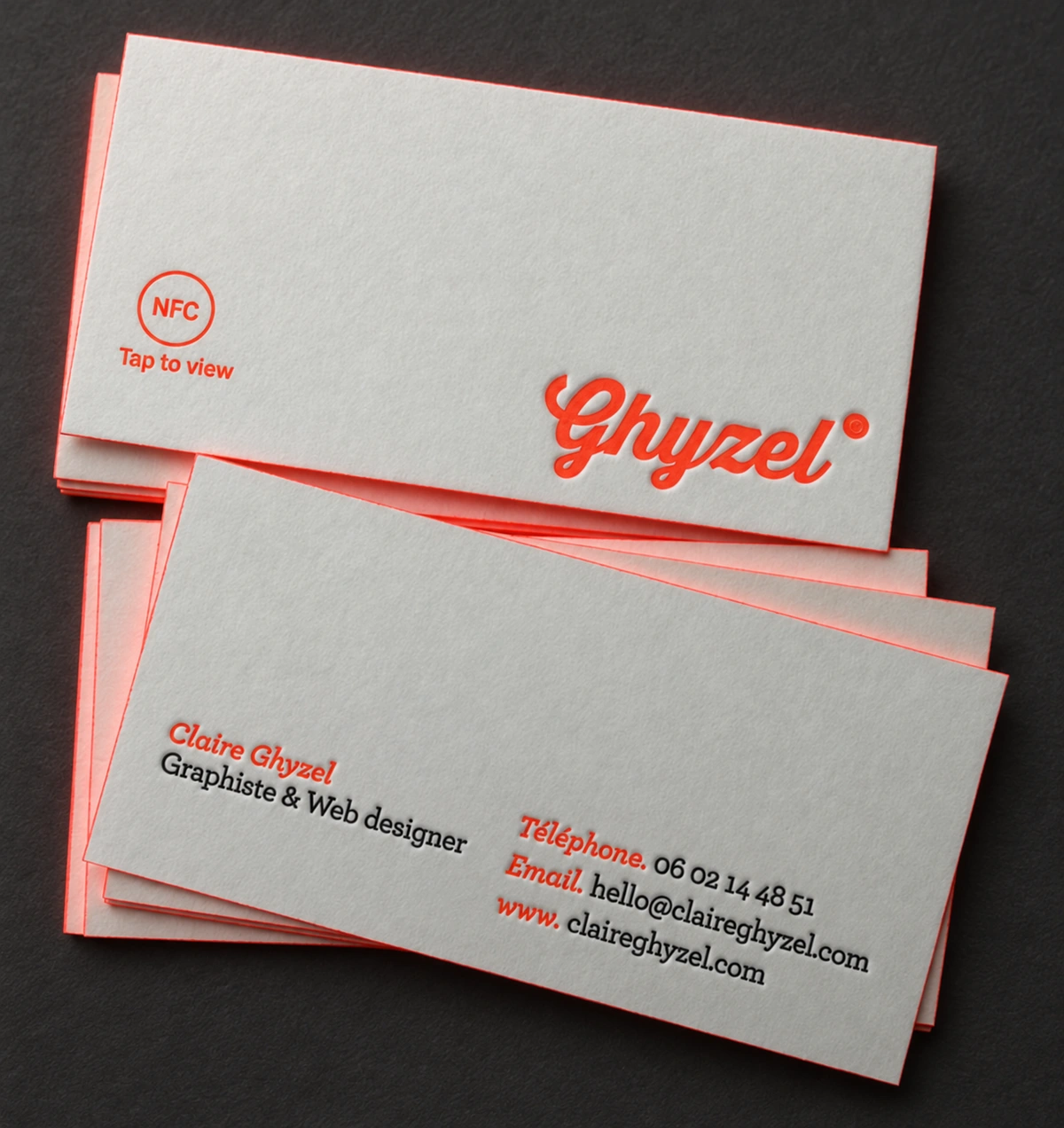
Want cotton business cards? Cotton paper feels soft, and debossing gives you an impression you can really feel. Prefer black business cards? Black cardstock with gold or silver foil has a quiet, substantial feel. If you'd like the card a little thicker or thinner, we can work with you on that too.
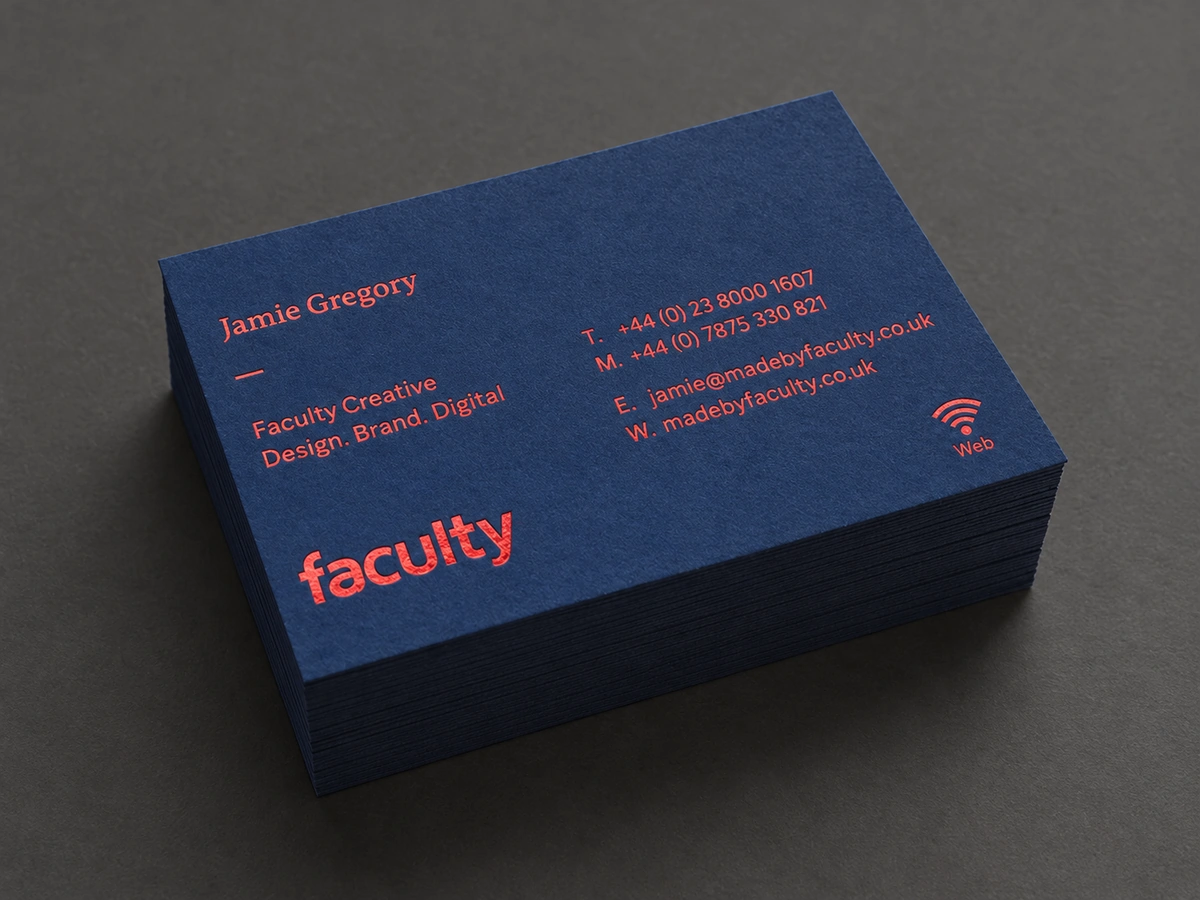
Then there are color core business cards: three layers of paper bonded together with a colored sheet in the middle. You can pick a color that goes with your logo, then use laser engraving to remove selected areas of the outer paper layer and reveal the color underneath.
From the side, you get a clear line of color through the middle. From the face, the engraved areas show it too. It's a high-end detail on an already high-end card. Since the chip needs a layered construction anyway, we can plan the colored core at the same time.
The chip stays hidden inside, and the paper and finishes on the outside are up to you.
We'll handle the production details
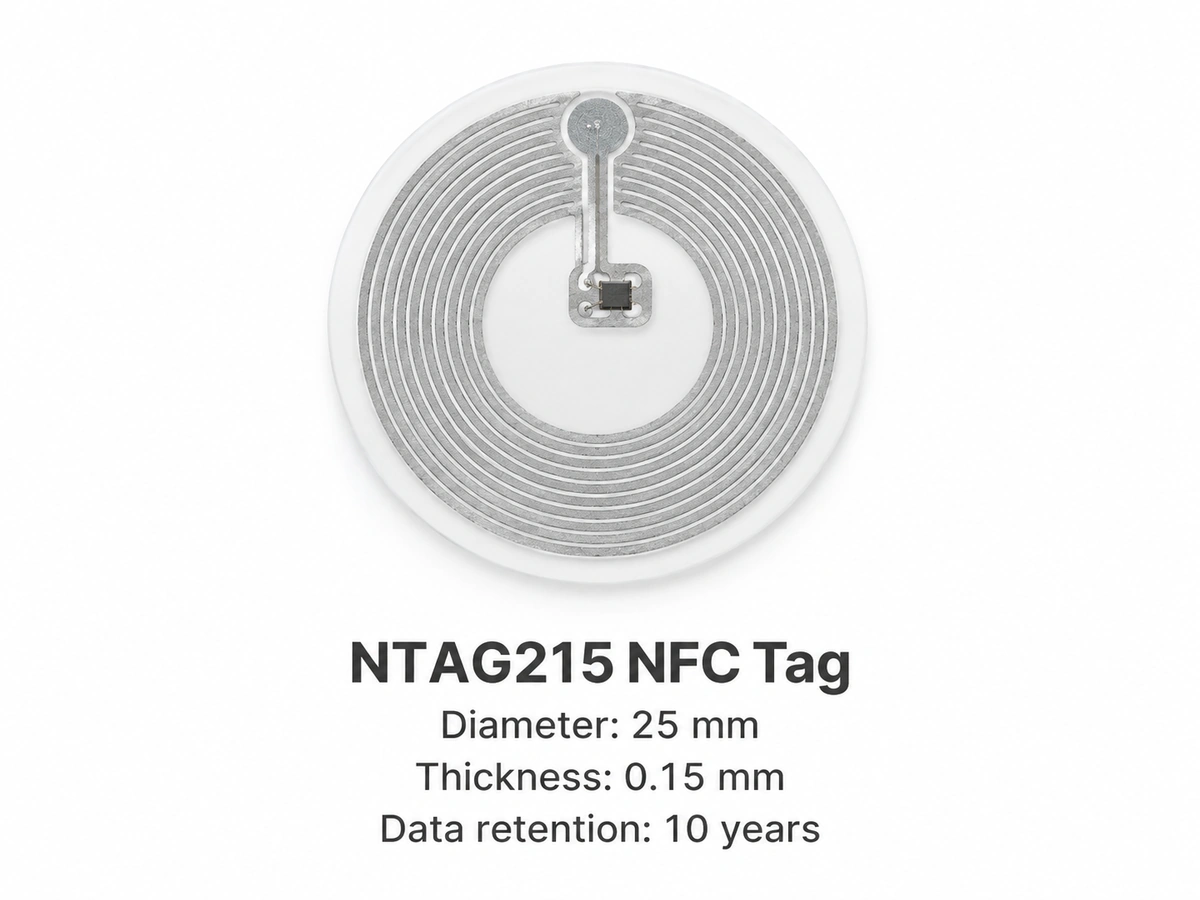
For these cards, the chip sits between layers. That means duplexing, where two sheets of paper are bonded together, or a triplex construction with three layers and a colored core. The finished card usually ends up thicker than a single-sheet card. The NTAG215 NFC chip we use is just 0.15 mm thick, so it adds very little thickness. The bonded paper layers conceal the chip, so it is not normally visible in the finished card.
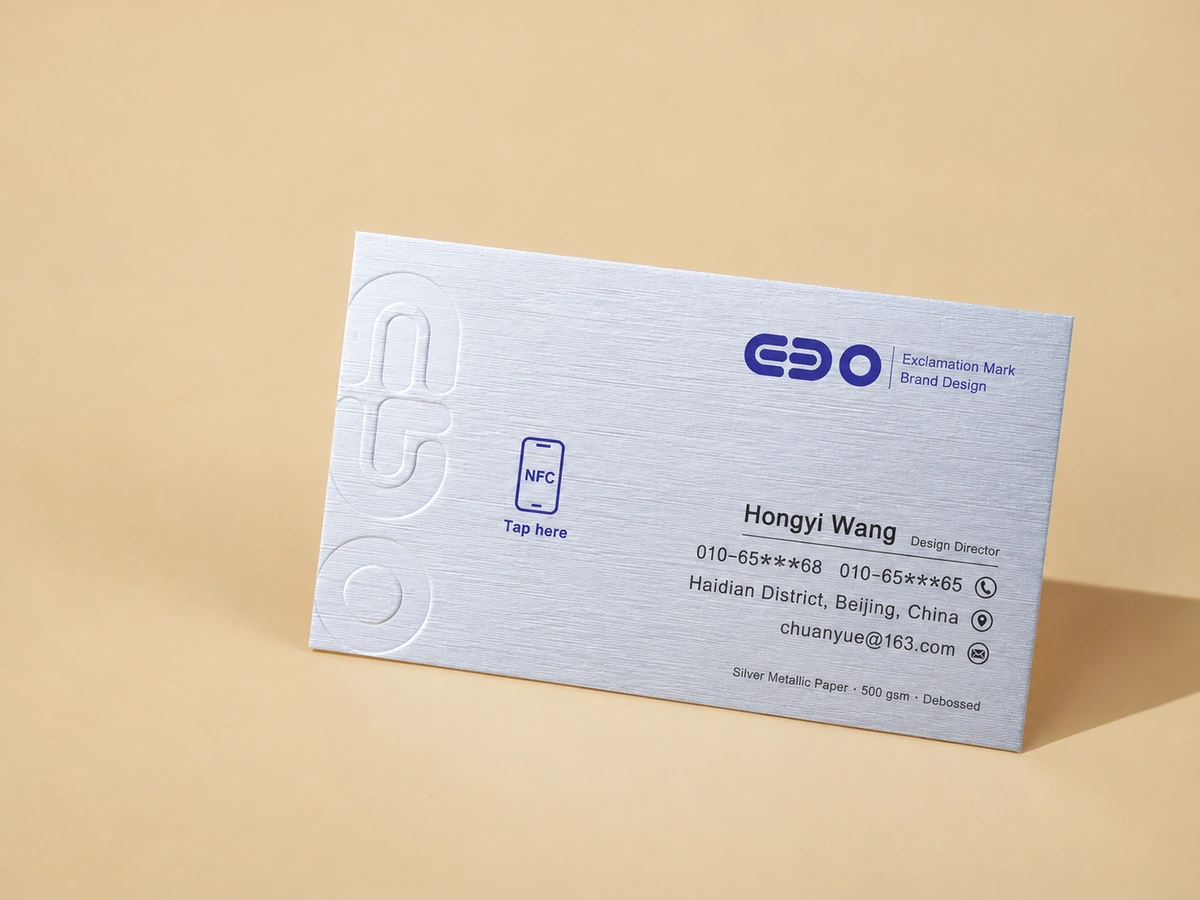
We recommend putting an NFC symbol on the card, perhaps in the bottom right corner or halfway along one edge, so people know it can be tapped and where to aim. It needs to line up with the antenna's reading area, so we plan its position at the design stage.
A short prompt helps too, something like "Tap to see my work." Without it, someone might never realize the card can be tapped.
During production, debossing needs care with pressure, while laser engraving needs care with depth and local heat. Large areas of foil stamping or metallic foil can also affect NFC reading. We plan where the chip and antenna sit and keep the relevant areas clear.
Don't bend the card hard, since that can damage the chip or antenna. When you get a sample, try it with a few different phones. The reading position varies by phone, so try both iPhones and Android phones.
You don't need to get into all the production details yourself. Send us your reference images and design file, and we'll work out which areas need to stay clear.
No design file yet? No problem. You can start by using AI to make a reference image. We've written about how here: No Design Skills? Create a Business Card Concept with Free ChatGPT.
That's how we see it at ZIVFY. You shouldn't have to spend your time on the parts that aren't your thing. Let us handle those.
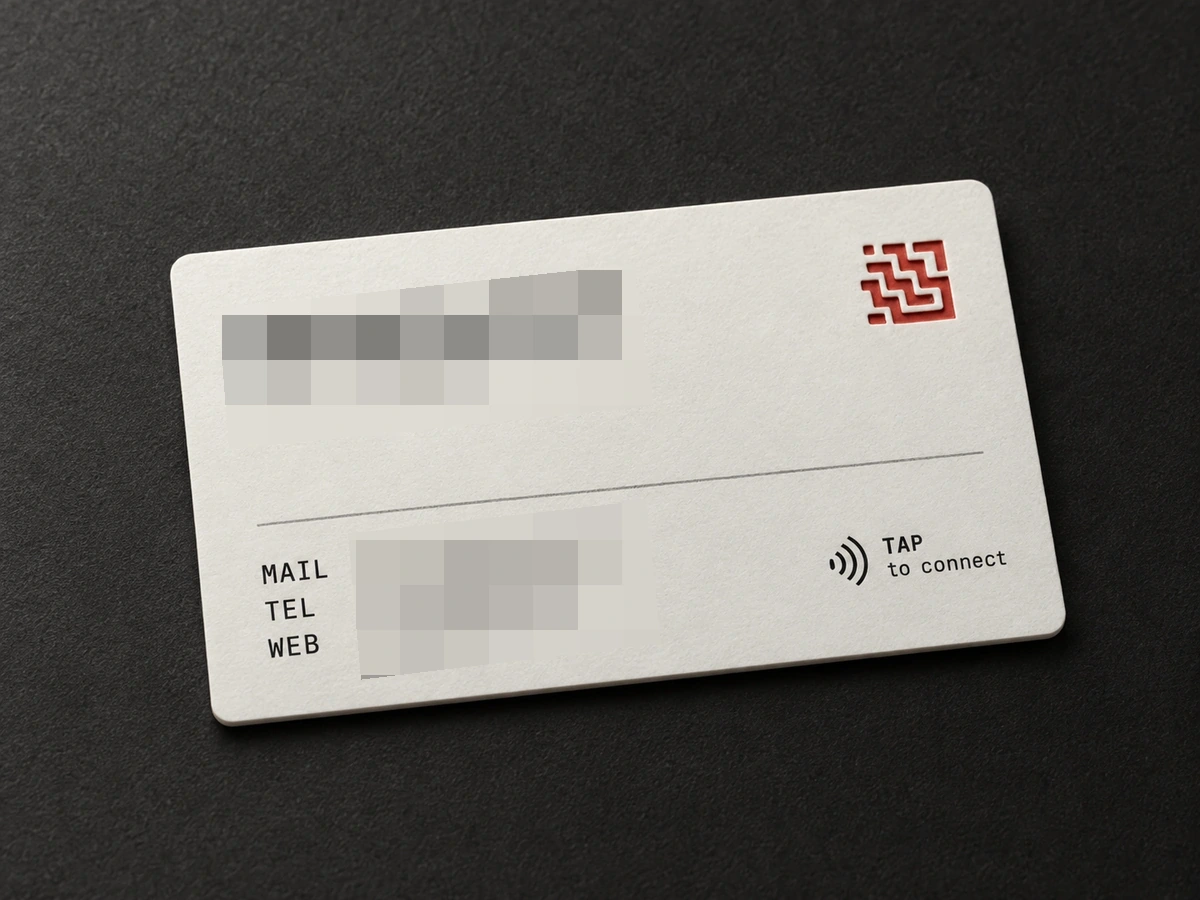
Here’s one we made. A customer ordered white triplex business cards with an engraved logo that reveals a red core. He had already put a “TAP to connect” NFC icon in the bottom-right corner of his design, so we placed the chip right under that icon and kept it clear of the engraved area. It worked on the first run: tap the icon with an iPhone, a notification pops up at the top of the screen, and one more tap opens his website.
What goes on the chip, and how it gets there
For the setup we've been talking about, the chip holds a web address. For something simple, like your website, a social profile, or a booking form, send us the link and we'll write it to the chip before shipping.
If you'd rather do it yourself, that's fine too. Just tell us beforehand so we leave the tags writable.
If you order a batch of business cards, each card's chip can be programmed with a different URL or other content.
For more involved content settings, take a look at this introduction to NFC content management from Seritag. It covers dynamic links and page management, with further platform guidance you can follow.
 seritag.com
Not every phone can read the card. Some older phones can't, and on some phones NFC may be switched off. It's a good idea to print a QR code or a web address as a backup. The phone also needs an internet connection to open the page.
Keep your basic contact details on the paper too, such as your name and phone number. Someone whose phone has run out of battery should still have a way to reach you.
We'll check how it all works with your chosen specialty paper and finishes during artwork review and sampling.
Tell us what you do, the paper and finishes you like, and what you want customers to see when they tap. We'll help you work out how to make it.
Using a QR code as well? Read why business card QR codes stop working.